How To Connect
Setup automatic portfolio and executions real-time updates for your Interactive Brokers account. This can be done in less than 5 minutes and you only need to do this once. Manage your risk properly and find your trading or investing edge.
Create IB Flex-Queries
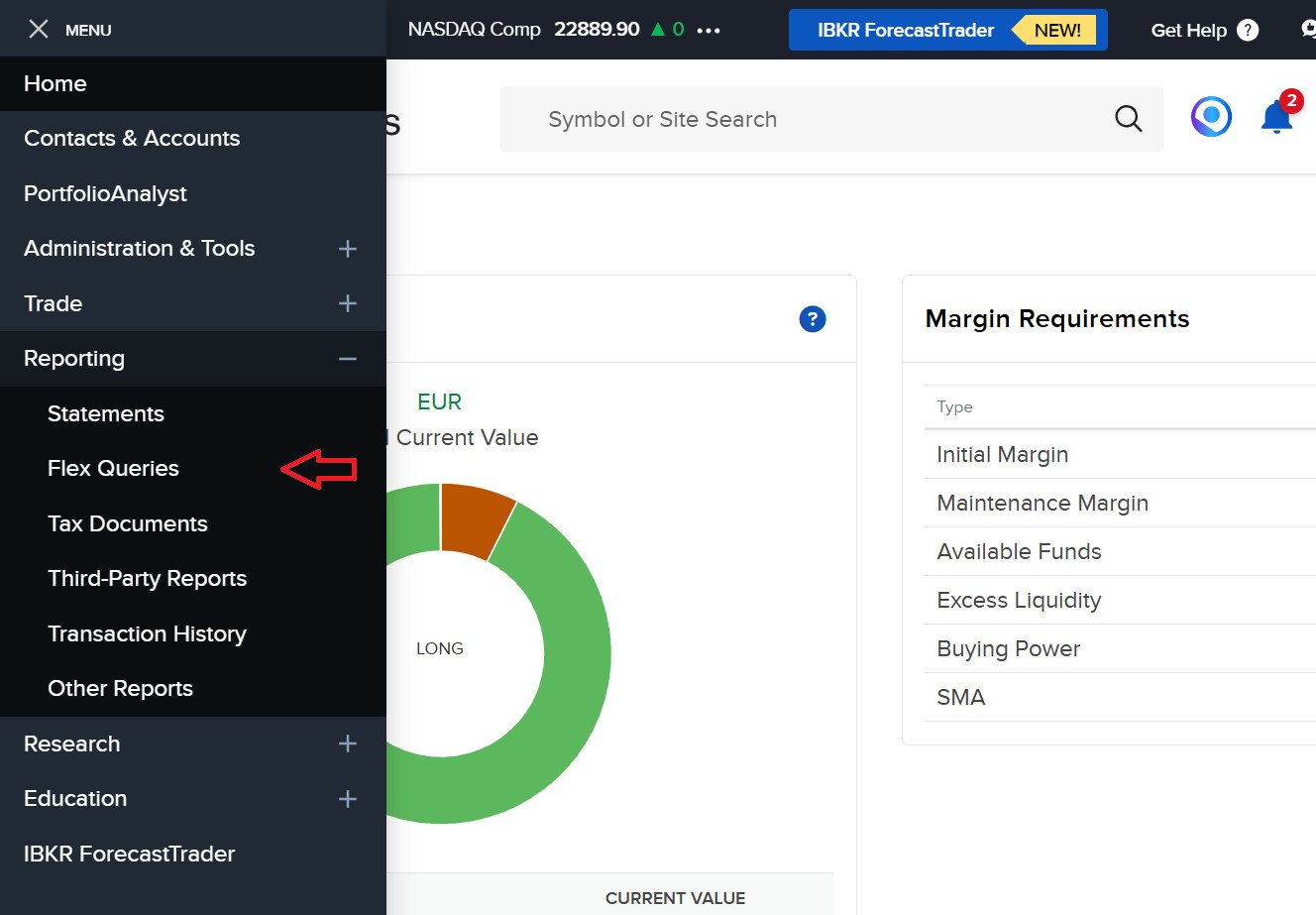
Log in to your Interactive Brokers account through the web portal and navigate to the Flex-Queries page. You can find this menu item on the left side.
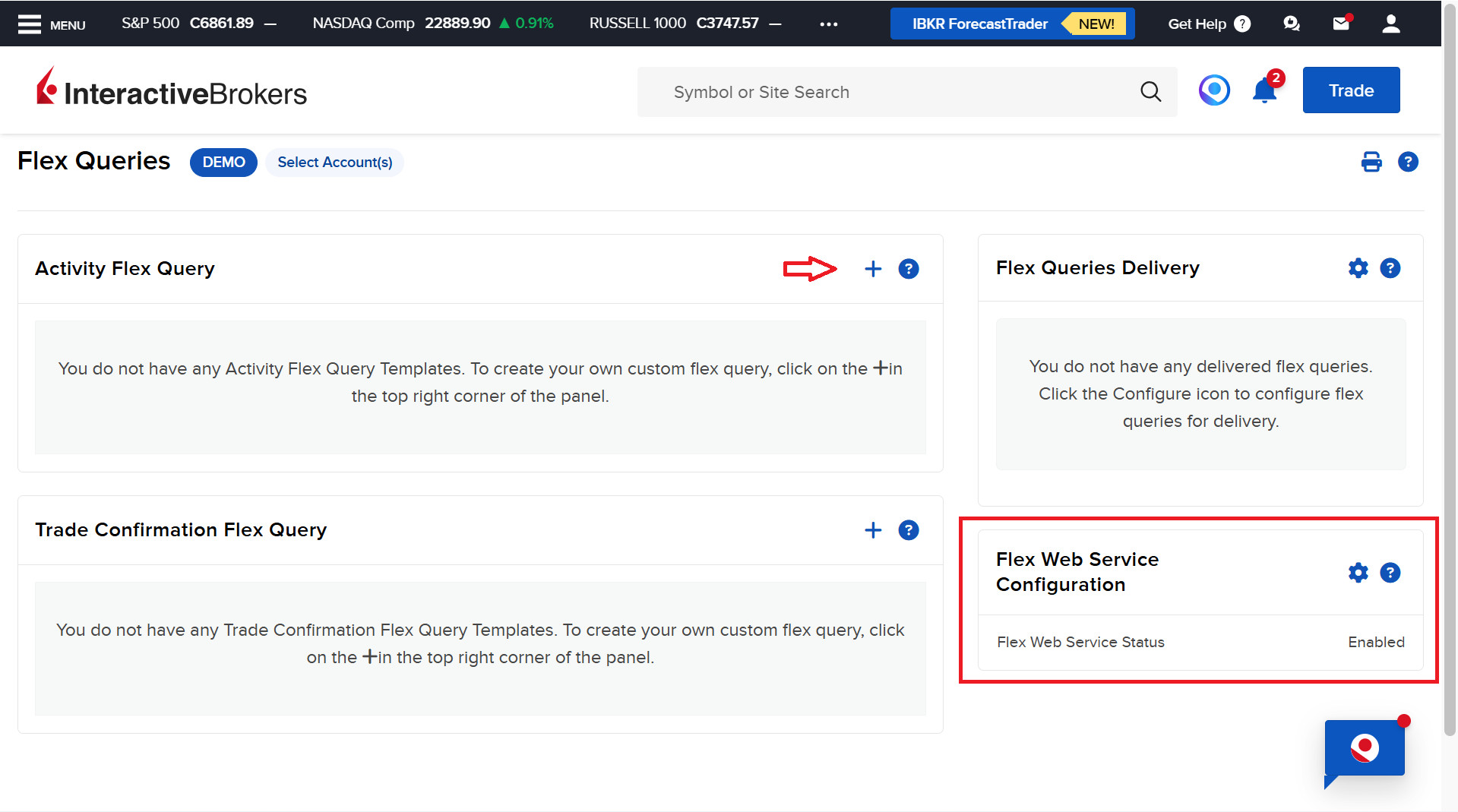
At the bottom right, you’ll find the general settings for Flex-Queries. Make sure they are enabled and that you have a Flex-Token. Then click the plus icon to create an account activity Flex-Query.
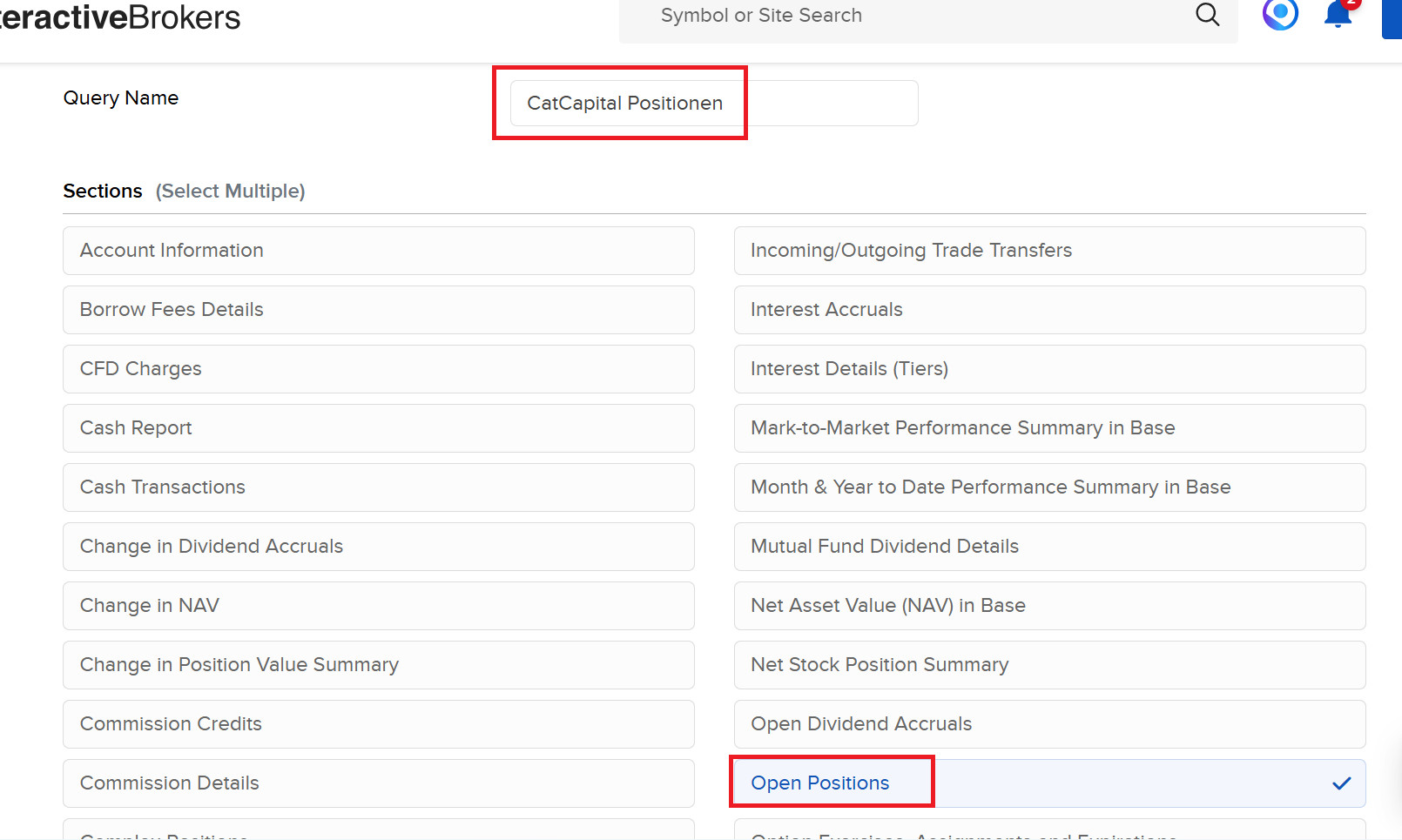
Choose Open Positions for your first Flex-Query and give it a name that's easy to recognize, such as "CatCapital Portfolio".
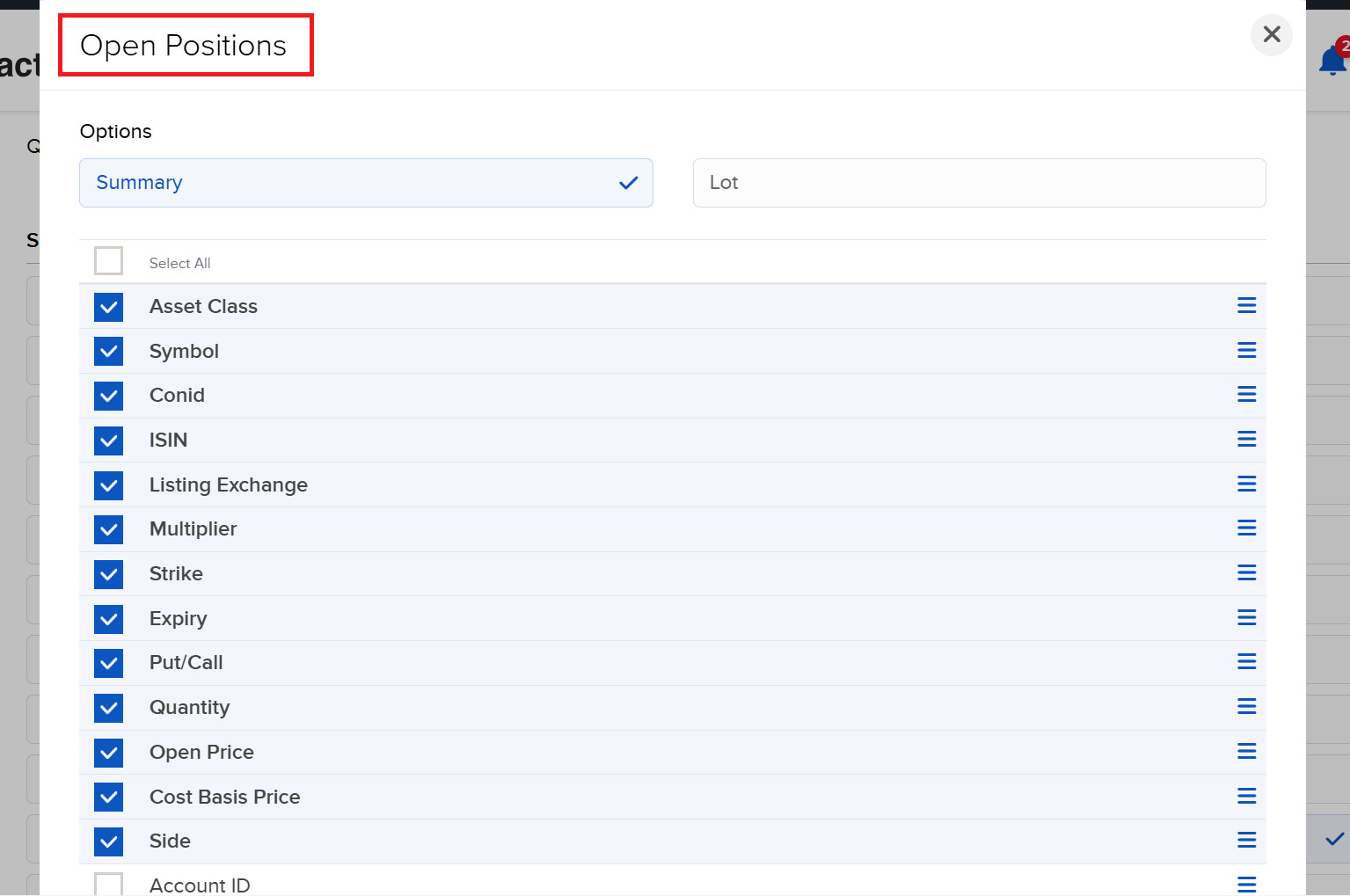
Make sure to select all the items shown in the image as well.
Save Flex Settings
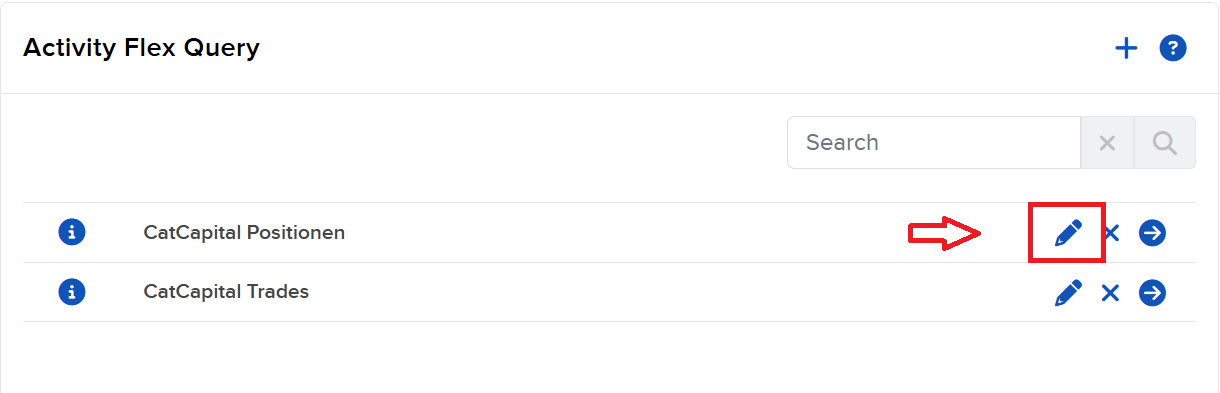
After you’ve set up both Flex-Queries, click the "Edit" (pencil) icon. This opens your personal Flex-Query details, including the Query-ID. To automatically update your portfolio and trades, we need both your Flex-Token and the respective Flex-Query-ID.
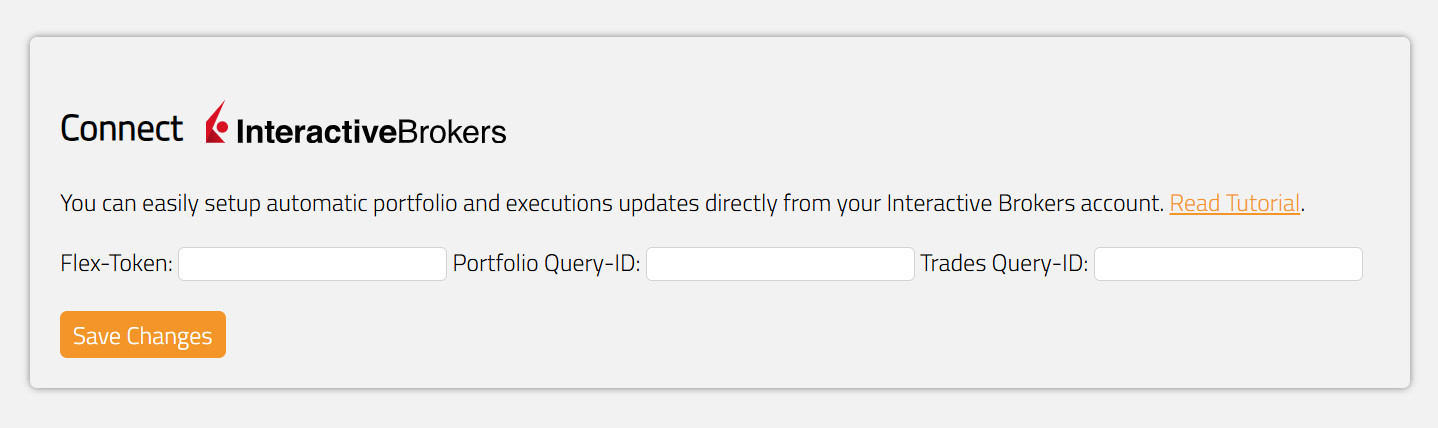
Go to your CatCapital Account Settings and save your Flex-Token as well as the Query-IDs for portfolio and execution updates. You can edit or delete them at any time.
If you don't want automatic updates, you can simply run a "CatCapital Portfolio" query once and upload it manually under the Dashboard.
You can now track the risk of your Interactive Brokers portfolio on CatCapital, receive important notifications, and review potential optimizations.
Analyze Your Trades
If you also set up a Flex-Query for trade executions, you can go one step further and automatically analyze not only your current positions but also your actual trades.
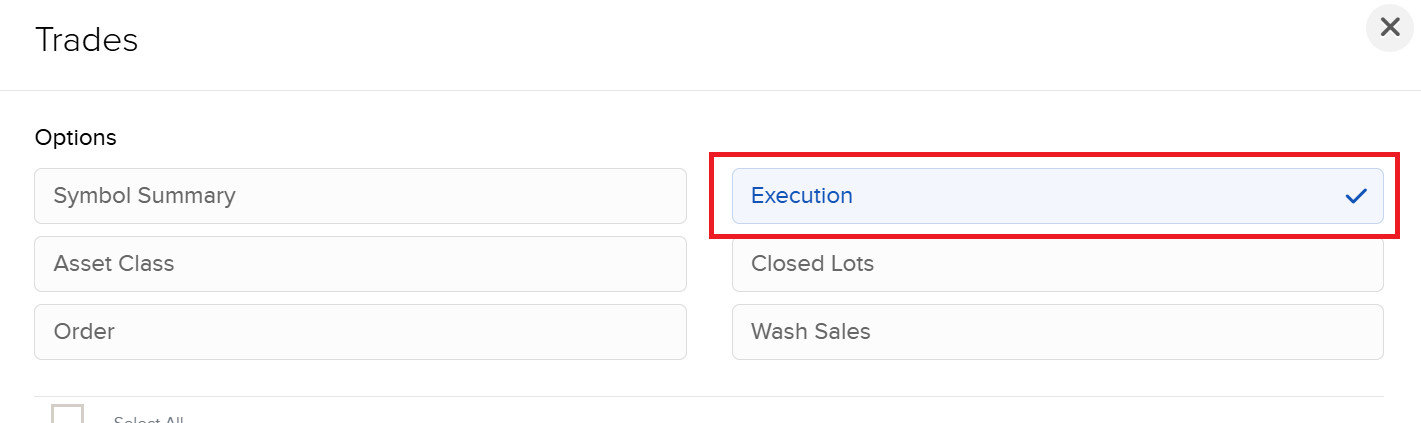
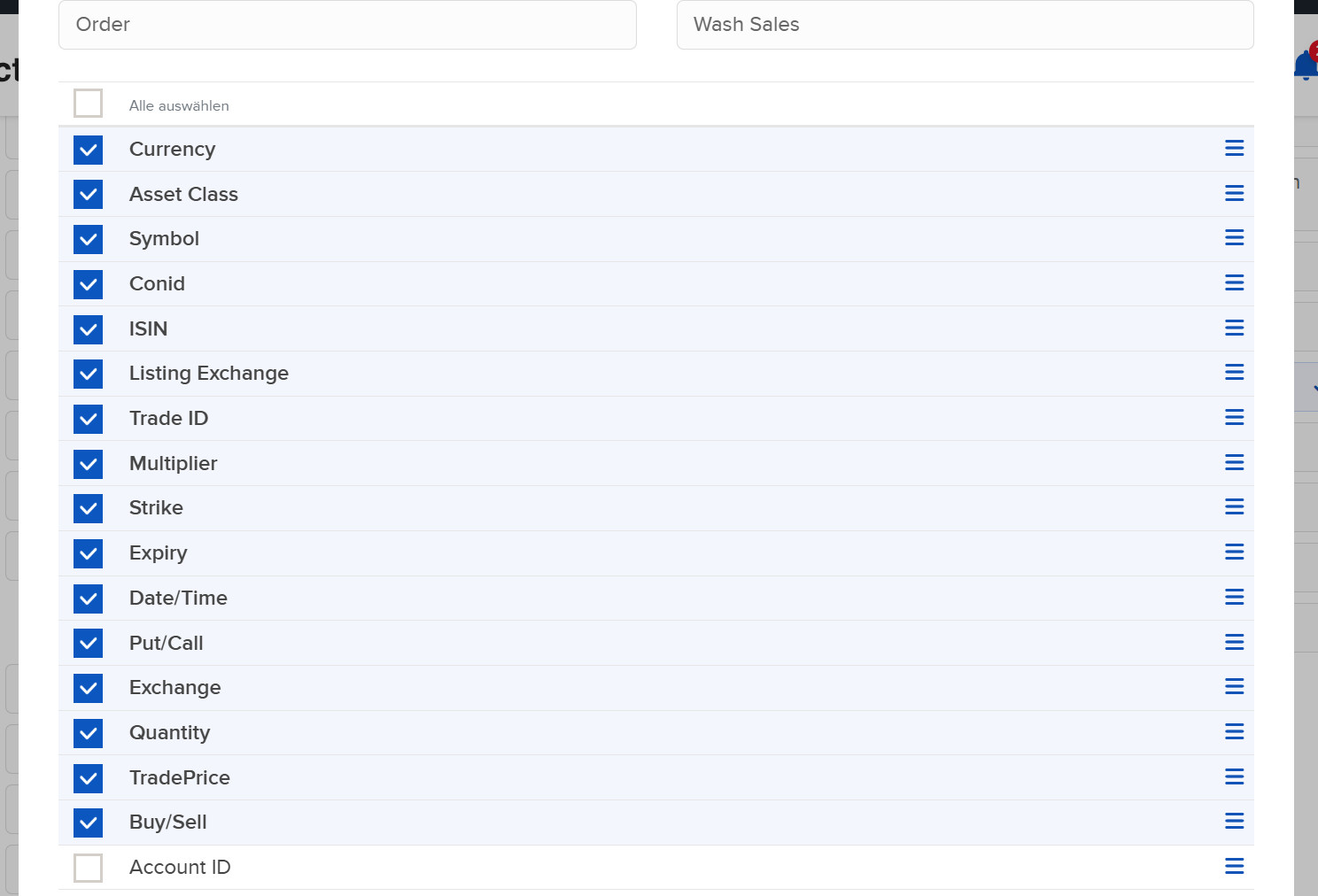
To analyze your trading statistics, add all the trade information selected above to your Flex-Query.
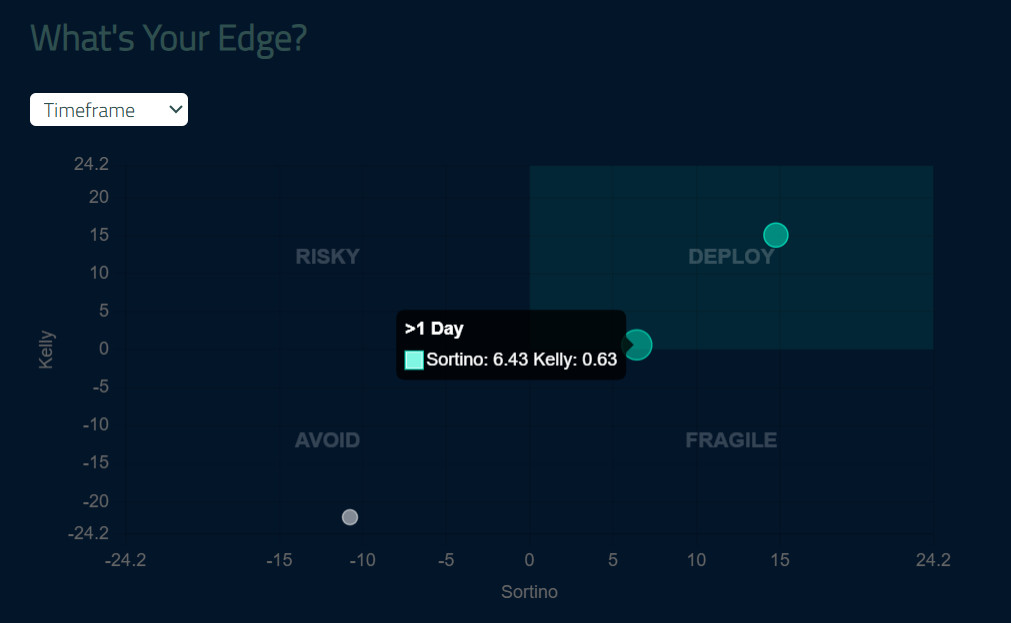
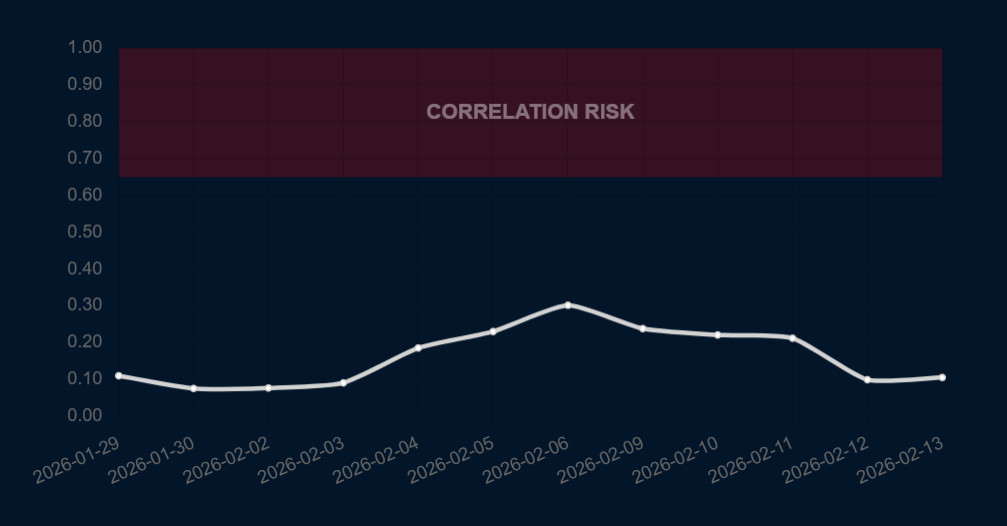
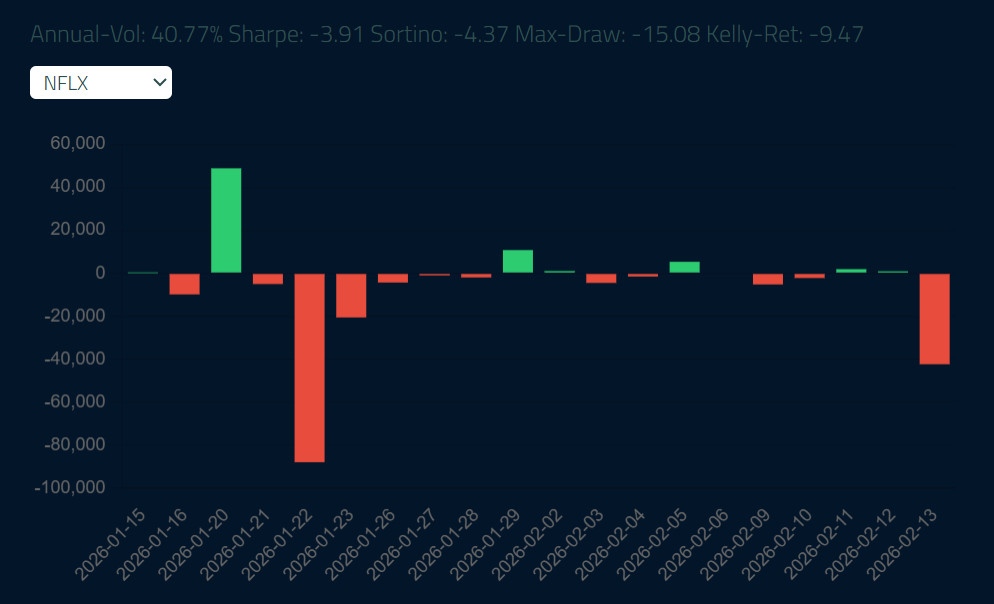
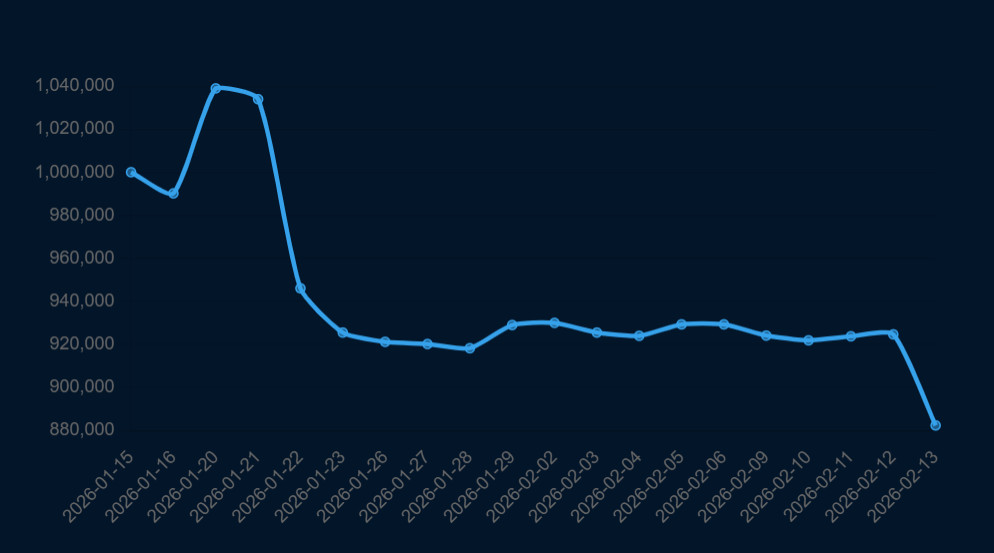
Analyze your trading and investment performance, track the correlation risk of your positions, and uncover unexpected insights about your personal edge in the market. To get reliable results, you should let the trade execution updates run for a few days or manually upload, for example, a one-year query.
 CatCapital FZE. All rights reserved.